> ## Documentation Index
> Fetch the complete documentation index at: https://docs.assignbots.com/llms.txt
> Use this file to discover all available pages before exploring further.
# Bot analytics
# 📊 Bot Analytics
Assignbots provides built-in analytics tools to help you understand how your bots perform and how users engage with them. Once inside a bot, switch to the **Analytics** tab to access your metrics.
***
## 📈 General Statistics
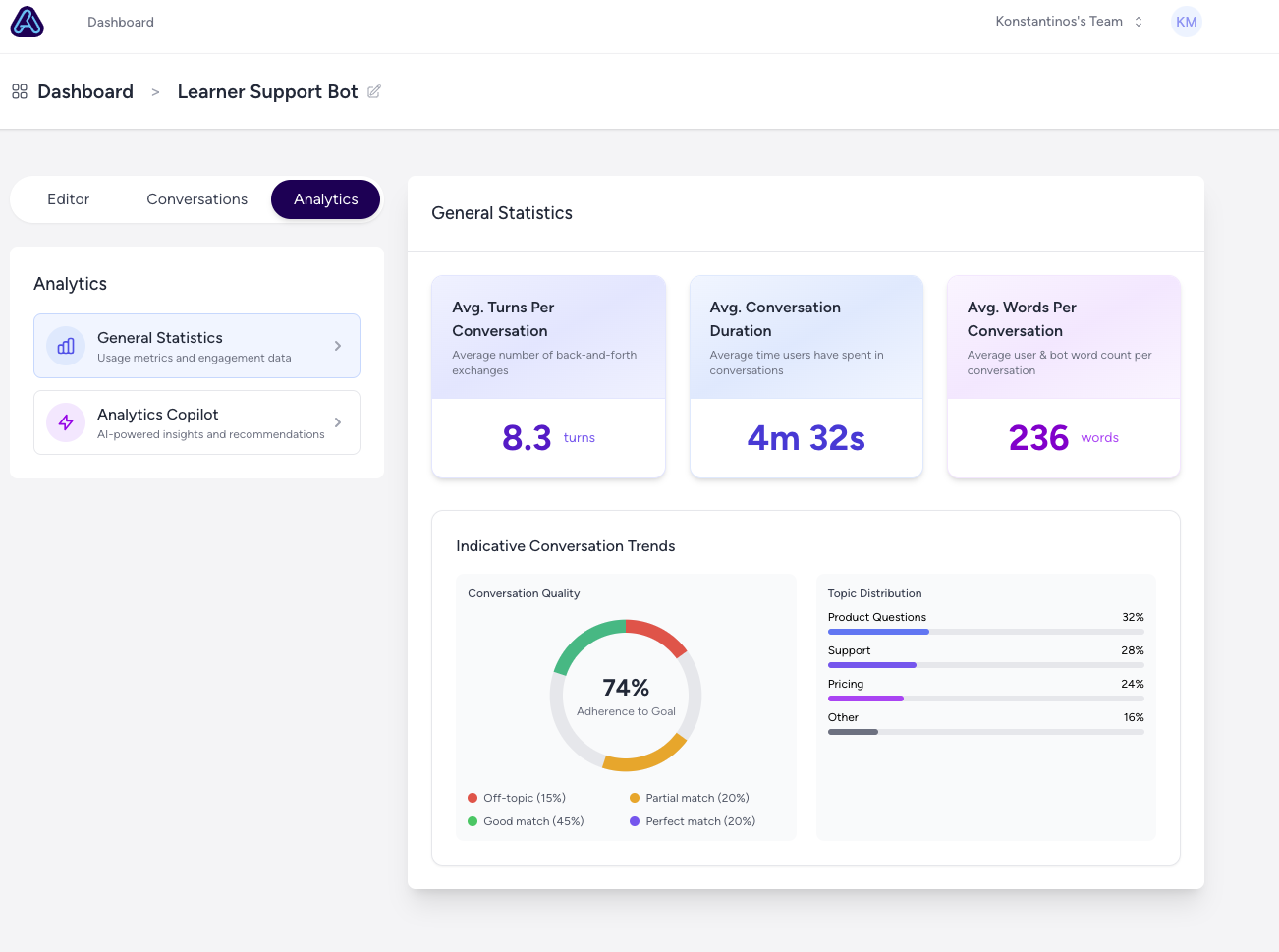
The **General Statistics** section gives you a snapshot of key metrics:
* **Avg. Turns Per Conversation**: How many back-and-forth exchanges users have with the bot
* **Avg. Conversation Duration**: Time spent on average during conversations
* **Avg. Words Per Conversation**: Total user and bot word count per chat
* **Conversation Trends**: Visual breakdown of conversation quality and topic distribution
 ***
## 🤖 Analytics Copilot
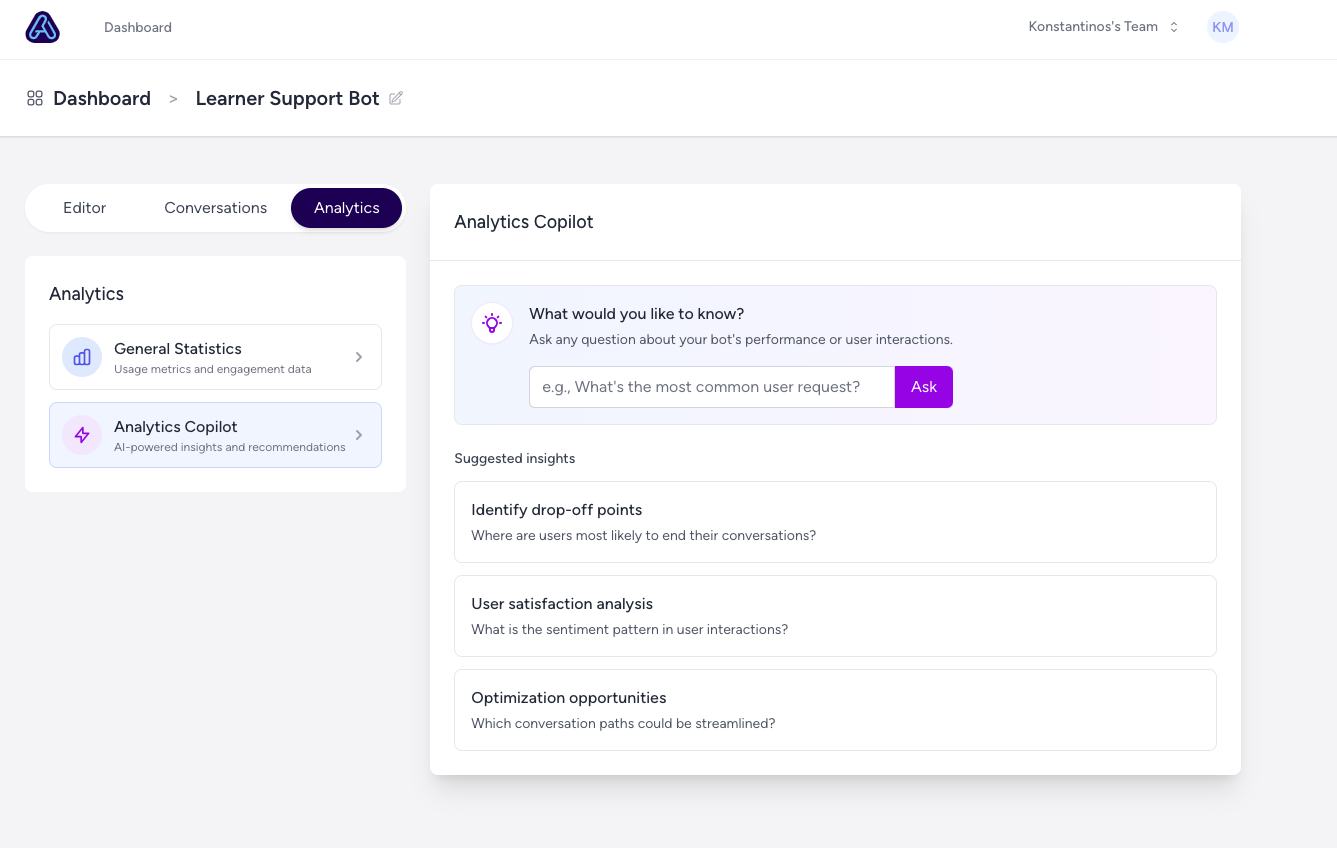
The **Analytics Copilot** is an AI-powered assistant that gives deeper insights into bot performance. You can:
* Ask open-ended questions like *"What’s the most common user request?"*
* Explore suggested insights like:
* Drop-off points
* User sentiment analysis
* Optimization opportunities
This allows you to continuously improve how your bot supports learners.
***
## 🤖 Analytics Copilot
The **Analytics Copilot** is an AI-powered assistant that gives deeper insights into bot performance. You can:
* Ask open-ended questions like *"What’s the most common user request?"*
* Explore suggested insights like:
* Drop-off points
* User sentiment analysis
* Optimization opportunities
This allows you to continuously improve how your bot supports learners.
 ***
Analytics Copilot helps educators identify areas for improvement with real-time, AI-generated insights — no data science expertise needed.
***
Analytics Copilot helps educators identify areas for improvement with real-time, AI-generated insights — no data science expertise needed.