> ## Documentation Index
> Fetch the complete documentation index at: https://docs.assignbots.com/llms.txt
> Use this file to discover all available pages before exploring further.
# Account settings
# 🛠️ Account Settings
Your Assignbots profile is where you manage personal information, password security, two-factor authentication, and more.
You can access this area by clicking your initials in the top-right corner and selecting **Profile** from the dropdown menu.
You can access your settings by clicking **Account Settings** from the sidebar on the main dashboard.
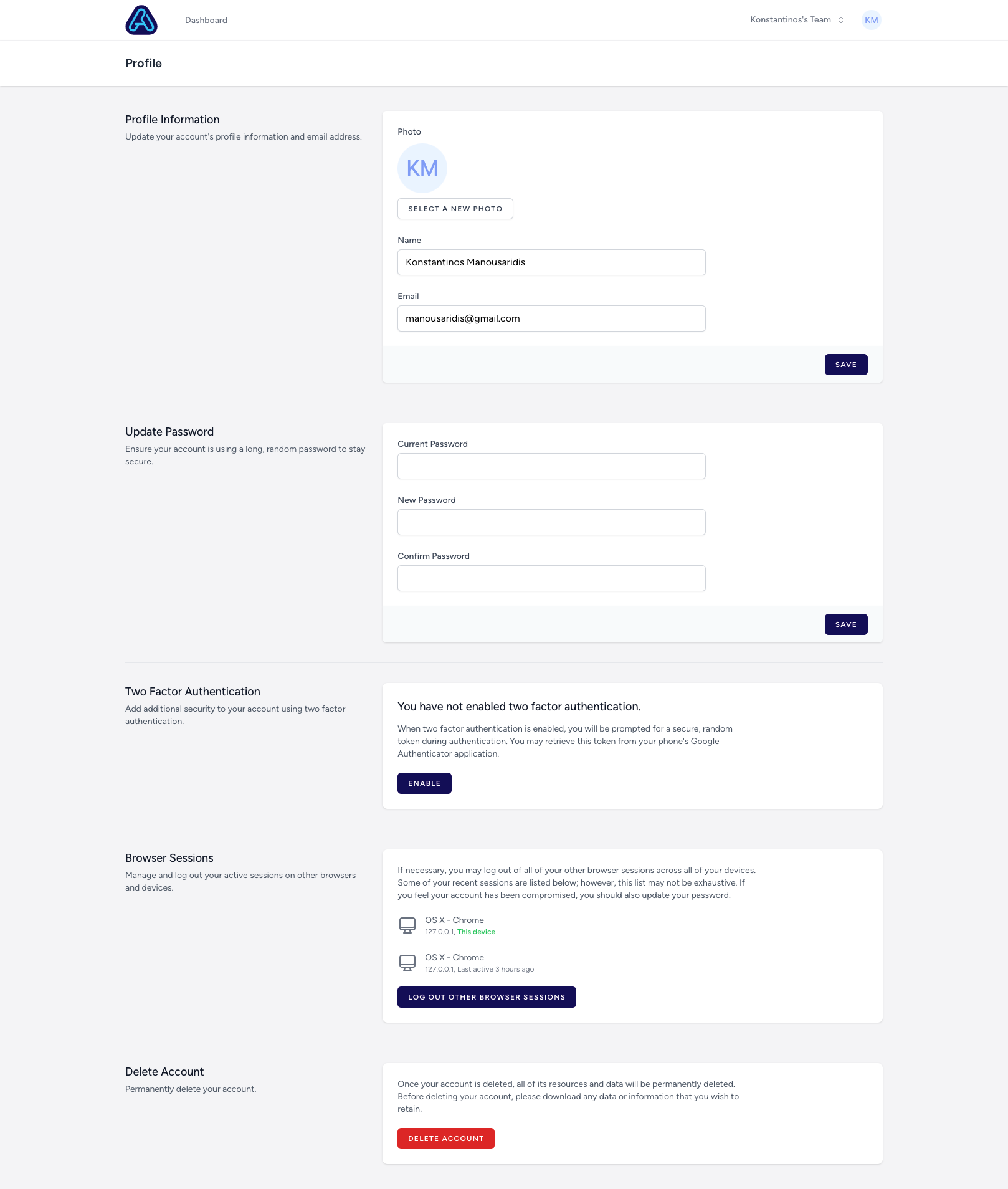 ***
## 👤 Profile Information
* **Update your name and email address** by editing the fields and clicking **Save**.
* **Upload or change your profile picture** by selecting a new image.
***
## 🔐 Update Password
Keep your account secure by updating your password:
* Enter your **current password**
* Choose a new one
* Confirm and click **Save**
***
## 🔒 Two-Factor Authentication (2FA)
To add an extra layer of protection:
* Enable 2FA to use an authentication app (like Google Authenticator)
* Once enabled, you'll be asked for a verification code every time you log in
***
## 🌐 Browser Sessions
* Review and manage all devices currently logged into your account
* Click **"Log out other browser sessions"** to revoke access elsewhere
***
## ❌ Delete Account
You can permanently delete your account and all related data:
* Scroll to the bottom of the page
* Click the red **"Delete Account"** button
* ⚠️ This action is irreversible — all bots, teams, and content will be permanently erased
All your data is encrypted and hosted securely in isolated AWS infrastructure. Only you (or those you share with) have access.
***
All changes are saved immediately and take effect across the platform.
***
## 👤 Profile Information
* **Update your name and email address** by editing the fields and clicking **Save**.
* **Upload or change your profile picture** by selecting a new image.
***
## 🔐 Update Password
Keep your account secure by updating your password:
* Enter your **current password**
* Choose a new one
* Confirm and click **Save**
***
## 🔒 Two-Factor Authentication (2FA)
To add an extra layer of protection:
* Enable 2FA to use an authentication app (like Google Authenticator)
* Once enabled, you'll be asked for a verification code every time you log in
***
## 🌐 Browser Sessions
* Review and manage all devices currently logged into your account
* Click **"Log out other browser sessions"** to revoke access elsewhere
***
## ❌ Delete Account
You can permanently delete your account and all related data:
* Scroll to the bottom of the page
* Click the red **"Delete Account"** button
* ⚠️ This action is irreversible — all bots, teams, and content will be permanently erased
All your data is encrypted and hosted securely in isolated AWS infrastructure. Only you (or those you share with) have access.
***
All changes are saved immediately and take effect across the platform.