

✍️ Creating an Account
Getting started with Assignbots is quick and easy. Follow these steps to create your free educator account.🧾 Step-by-step
- Go to app.assignbots.ai
- Click the Register link below the login form.
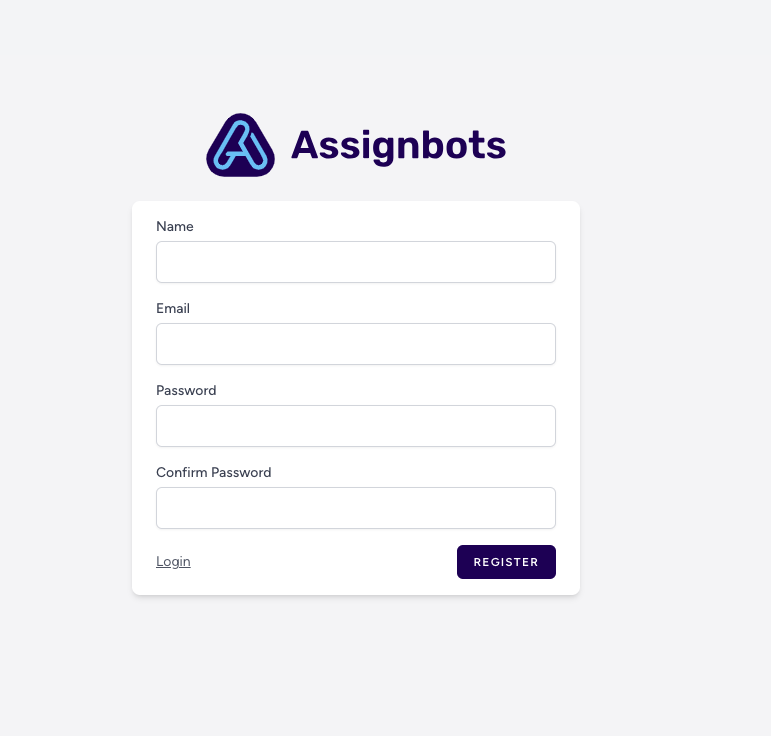
- Fill in the form:
- Name – your full name
- Email – your preferred address
- Password – choose a secure password
- Confirm Password – re-enter your password
- Click the Register button to create your account.
🔐 Account Security
Your login credentials are encrypted and securely stored. You can manage your information or delete your account anytime in your Account Settings.🧭 What’s next?
After registering, you’ll land on the Dashboard, where you can:- Create your first bot
- Join or create a team
- Use a template from the dashboard’s gallery