
🤖 Creating a Bot
There are two ways to create a bot in Assignbots — from scratch or using a ready-made template.➕ Starting a New Bot
From the Dashboard, click New Assignbot to open creation options:- From Scratch: Start fresh and fully customize your bot.
- From Template: Choose from prebuilt bots designed for education, like:
- Project-Building Assistant
- Professional Learning Designer
- Content Generator
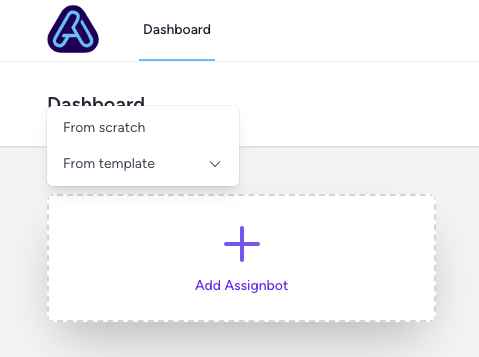 Selecting a template will prefill your bot with role, tone, and visual presets you can modify.
✏️ Naming Your Bot
You’ll be prompted to name your bot. Give it something relevant — like Research Helper or Ethics Quiz Bot.Tip: You can rename the bot later by clicking its title in the top dashboard breadcrumb.
🎯 What Happens Next?
After naming your bot, you’ll land in the Bot Editor, where you can:- Set up the bot’s purpose and tone
- Add custom knowledge and activity scripts
- Customize appearance and messages
Templates are a great way to quickly spin up bots for common classroom needs. You can tweak every detail after choosing one.