

🔄 Switching Teams
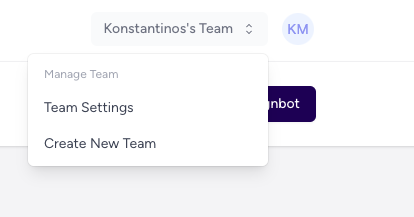
If you’re a member of multiple teams in Assignbots, you can easily switch between them using the team selector in the top-right corner.🧭 How to Switch Teams
- Click your current team name in the top navigation bar
- A dropdown will appear listing all teams you’re part of
- Click on a team to instantly switch into its workspace
 When you switch teams:
- Your dashboard updates to show only that team’s bots
- You’ll only see analytics, chat logs, and bots for that team
📥 Accepting an Invite
If you’ve been invited to a team via email:- Open the invitation email and click Join Team
- Log in (or create an account if needed)
- You’ll be added to the team immediately
Your bots and data are private to your team. You can only access the workspaces you’ve been invited to.